Testing locally with http://localhost is not sufficient if our app has modern features,
such as service worker and push notification.
It is required to access it via https and a domain name, such as https://www.my-app.test.
I am avoiding server rent cost as much as possible while the app is still in development stage, so I need the browser
access to https://www.my-app.test to be served by servers that are running on my laptop.
Here are the steps to prepare your development environment,
so you can use your local servers to serve accesses to https://my-app.test.
Put the Domain Name in /etc/hosts
Edit you /etc/hosts file (as a superuser), add two lines that maps the domain name to local IP address:
...
127.0.0.1 my-app.test
127.0.0.1 www.my-app.test
...
Create a New Environment Variable Storing the Domain Name
We need the environment variable to be referred by our scripts later.
$ export TEST_DOMAIN=my-app.test
Create an OpenSSL ext File Template
Create a new text file, name it ssl/template.ext
Put these lines to the file:
authorityKeyIdentifier=keyid,issuer
basicConstraints=CA:FALSE
keyUsage = digitalSignature, nonRepudiation, keyEncipherment, dataEncipherment
subjectAltName = @alt_names

[alt_names]
DNS.1 = $TEST_DOMAIN
DNS.2 = www.$TEST_DOMAIN
Generate Certificate and CA Files
Create a shell script file, name it generate-ssl-files.sh. Put these lines to that script file:
#!/usr/bin/env bash

envsubst '\$TEST_DOMAIN' < ssl/template.ext > ssl/$TEST_DOMAIN.ext
openssl genrsa -des3 -out ssl/myCA.key 2048

openssl req -x509 -new -nodes -key ssl/myCA.key -sha256 -days 1825 -out ssl/$TEST_DOMAIN.pem
# After the step above, install the certificate (ssl/$TEST_DOMAIN.pem) to the system

openssl genrsa -out ssl/$TEST_DOMAIN.key 2048
openssl req -new -key ssl/$TEST_DOMAIN.key -out ssl/$TEST_DOMAIN.csr

openssl x509 -req -in ssl/$TEST_DOMAIN.csr -CA ssl/$TEST_DOMAIN.pem -CAkey ssl/myCA.key -CAcreateserial \
-out ssl/$TEST_DOMAIN.crt -days 1825 -sha256 -extfile ssl/$TEST_DOMAIN.ext
Run that script file. It will generate these files:
ssl/my-app.test.crtssl/my-app.test.keyssl/my-app.test.pem
Install the CA File to Web Browsers
Install ssl/my-app.test.pem to Chrome or Firefox or other Web Browsers.
Chrome: 
Firefox: 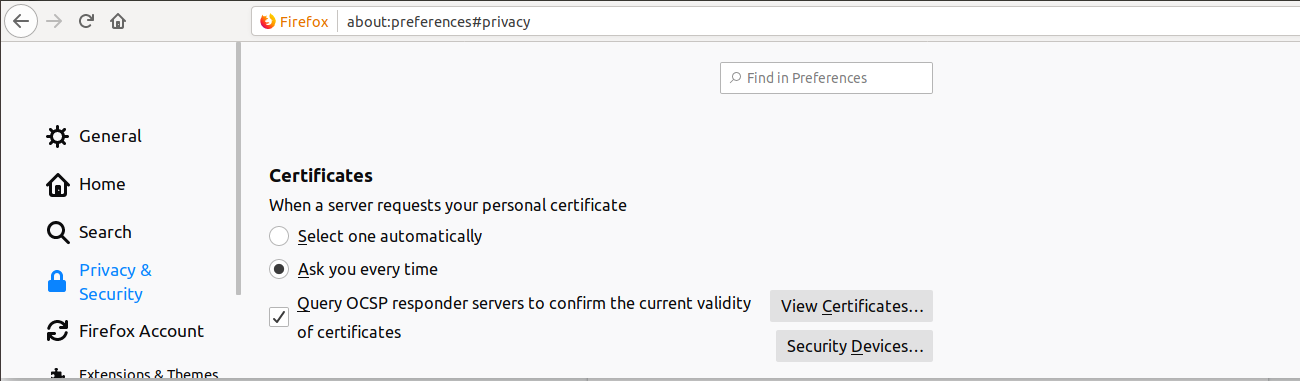
Tell NGINX the Location of Certificate Files
server {
    server_name my-app.test, www.my-app.test;
    listen 443 ssl http2;
    ssl on;
    ssl_certificate         /full-path-to/ssl/my-app.test.crt;
    ssl_certificate_key     /full-path-to/ssl/my-app.test.key;
    # For local CA:
    ssl_trusted_certificate /full-path-to/ssl/my-app.test.pem;
    ...
}
restart the NGINX.