A client asked me to modify the architecture of his AWS cloud. The goals are to simplify monitoring and crash recovery.
Before the modification, it has one c5.large EC2 instance and one PostgreSQL RDS instance.
Five services are running in that single EC2 instance:
- redis
- NGINX/uwsgi
- Celery worker
- Celery beat
- Celery flower
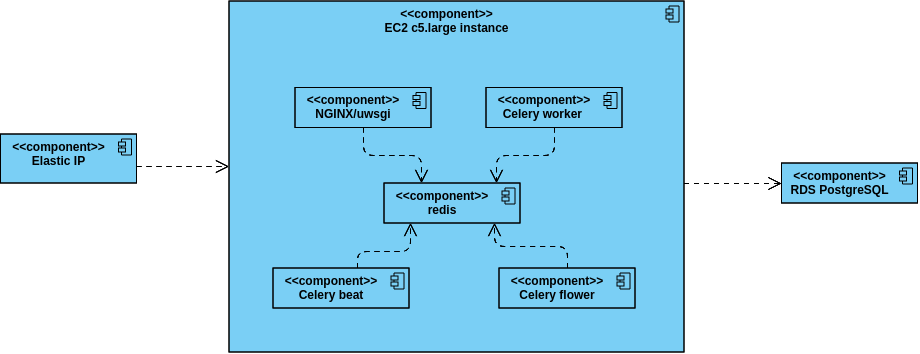
On that old architecture, we need to program it if we want a good monitoring and crash recovery system.
After some investigations, I decided to use Amazon ECS.
Its Autoscaling is the solution to crash recovery. It ensures that at least 1 container to run. If a container crashed, the health check will detect it, so a new container will be started.
ECS collects stdout output from docker containers into a nice AWS console and make it easy to search texts.
ECS also has console to display utilization metric of resources in each service. These features really help on monitoring the system.
This is the architecture after using ECS:
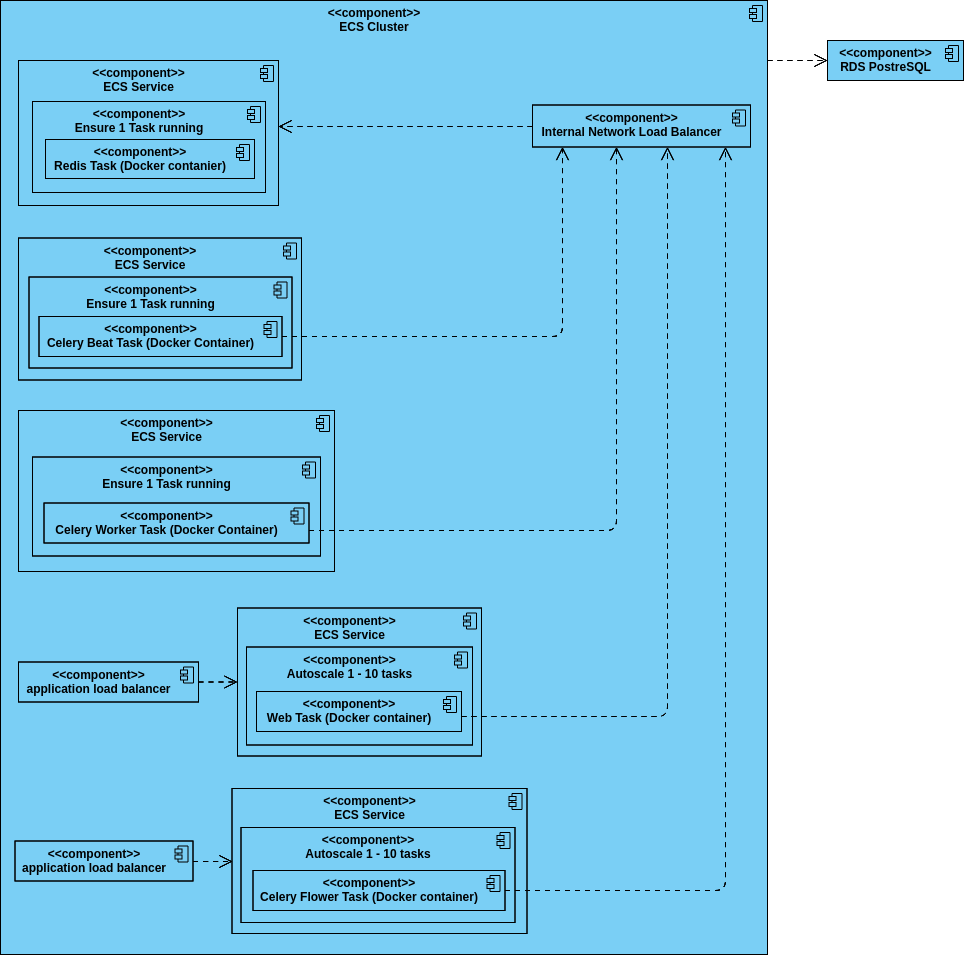
In order to use ECS, we need to prepare Docker images.
Docker image for redis is already provided by hub.docker.com repository. We need to create images for four other services: Web App, Celery Worker, Celery Flower, and Celery Beat. Therefore, we created four Dockerfiles.
After the four Docker images are ready, we pushed it to Amazon ECR.
After all Docker images available in a repository, we can create a Task Definition to point to it.
A Task Definition prepares parameters for docker run command. In a Task Definition, we can prepare environment varables to be passed to the created container.